
Workflows
An agent is good at thinking and bad at routine: each time it thinks again, spends tokens again and may do something a little different. A pcx workflow is the routine written down once, as a graph of steps: it does only what a person approved, shows what it will do before it does anything, and keeps every step.
The problem: an agent is good at thinking, bad at routine
Section titled “The problem: an agent is good at thinking, bad at routine”A task that has to happen every weekday at 9:00 is not work for an agent. Each time, the agent starts from nothing, spends tokens, and may do something slightly different, and nobody knows beforehand what exactly it will do.
The usual automation tools (Zapier, n8n, GitHub Actions) do routine reliably, but they live outside the work: they do not see the memory or the board, they hold keys of their own with wide rights, and what they do does not stay next to the task they did it for.
What a workflow is
Section titled “What a workflow is”A graph of steps that starts when something happens: by hand, on a schedule, from a webhook, on an event (a task moved to Done), or when an agent or another workflow calls it.
Each step is one of these:
- it calls one tool of a module (the board, memory, http, mail, any module);
- it asks a model, with a prompt and the shape of the answer (classify, extract, sum up);
- it gives a turn to a member of a team;
- it waits: for a time, for an event, or for a person to approve;
- it decides the path: a condition, for each item, in parallel.
Three things make it different:
- It does only what a person approved. A workflow names the modules it may call, its grants. It does not run until a person approves them, and a change that asks for more asks again.
- You know what it will do before it does anything. A dry run reads for real and simulates every write.
- Every step stays. You see what each step did and how long it took; a run interrupted by a restart goes on where it stopped and does nothing twice.
Example: a morning check of the tasks in progress
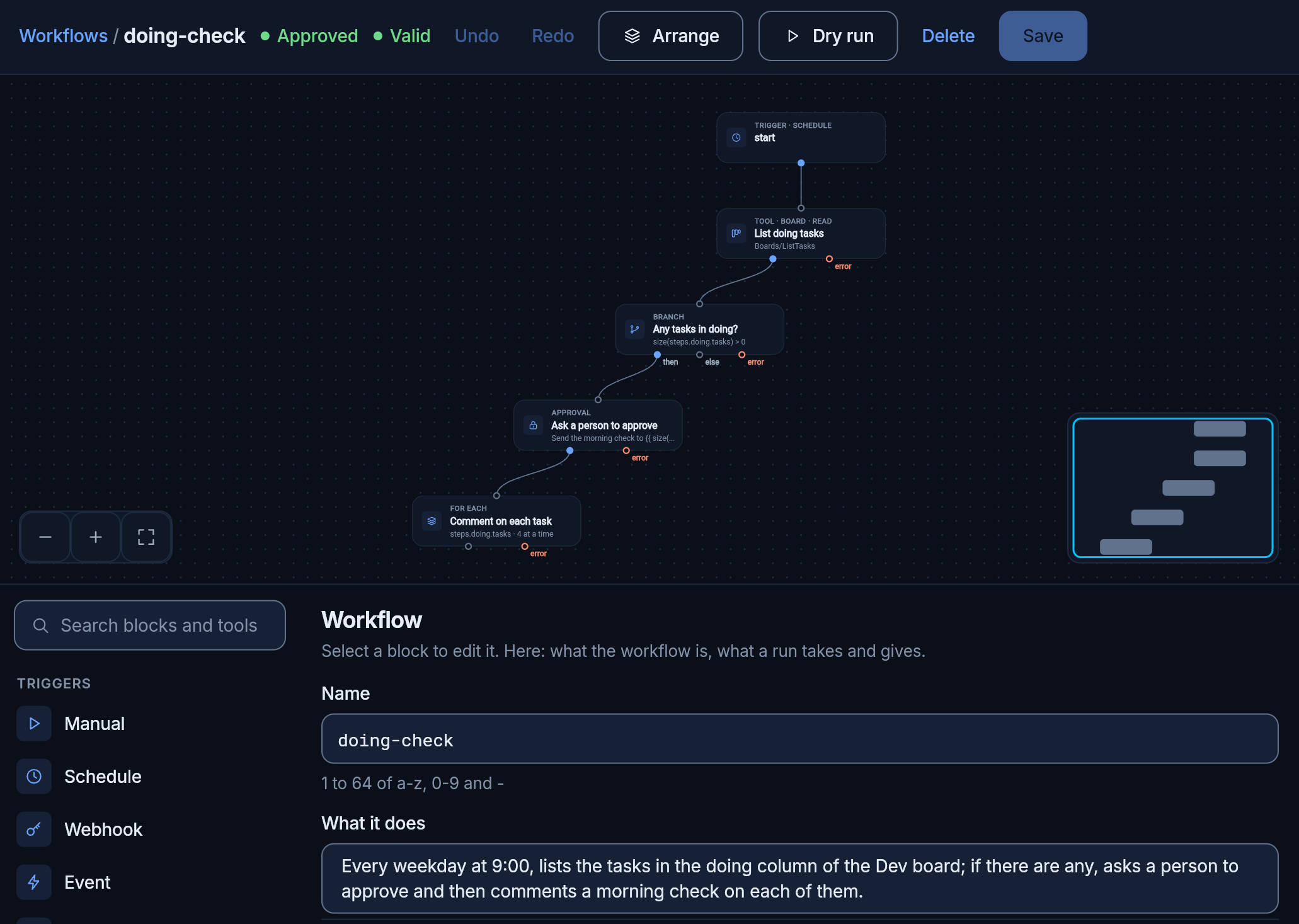
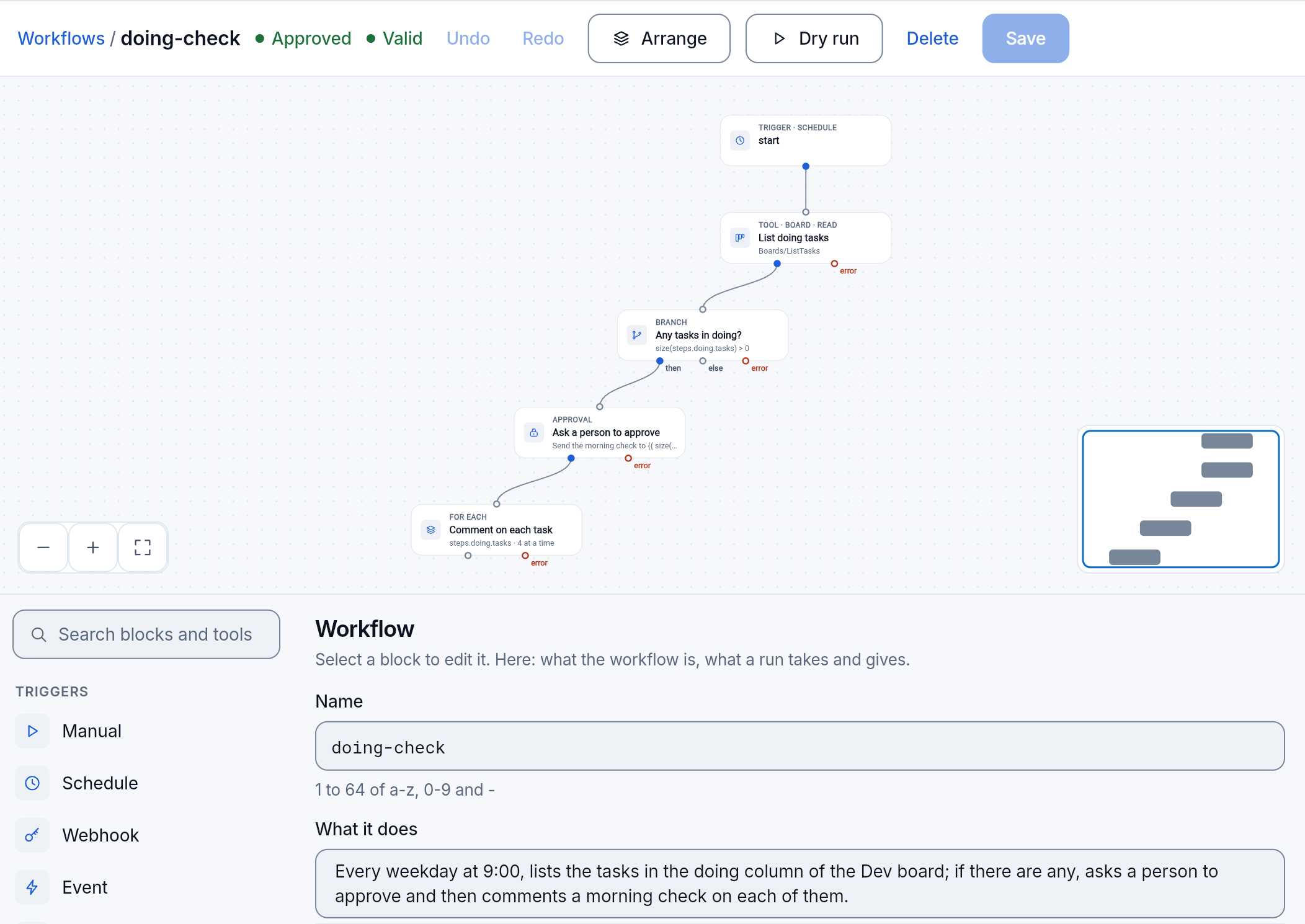
Section titled “Example: a morning check of the tasks in progress”We made the workflow doing-check by asking for it in words.
1. We asked for it in words
Section titled “1. We asked for it in words”On the Agent page we asked the agent workflow-builder:
Make a workflow named doing-check. Every weekday at 9:00 it lists the tasks in the doing column of the Dev board. If there are none, it ends. If there are some, it asks a person to approve, and once approved it comments on each of those tasks: “Morning check: where does this stand? Anything blocking it?”. Read the catalog, validate it and run it dry, tell me what it will do and which grants it asks for, then save it.
2. The agent built it and tried it without touching anything
Section titled “2. The agent built it and tried it without touching anything”The builder looked up what a workflow may use and which boards there are, wrote the graph and checked it. Five blocks:
Then it ran it dry, twice:
- the first: the board was read for real; the Doing column was empty, so the run stopped there with nothing to do;
- the second: with two example tasks; it showed the question the person would get, with its text filled in, and the two comments it would write.
Neither wrote anything.
3. A person approved its grants
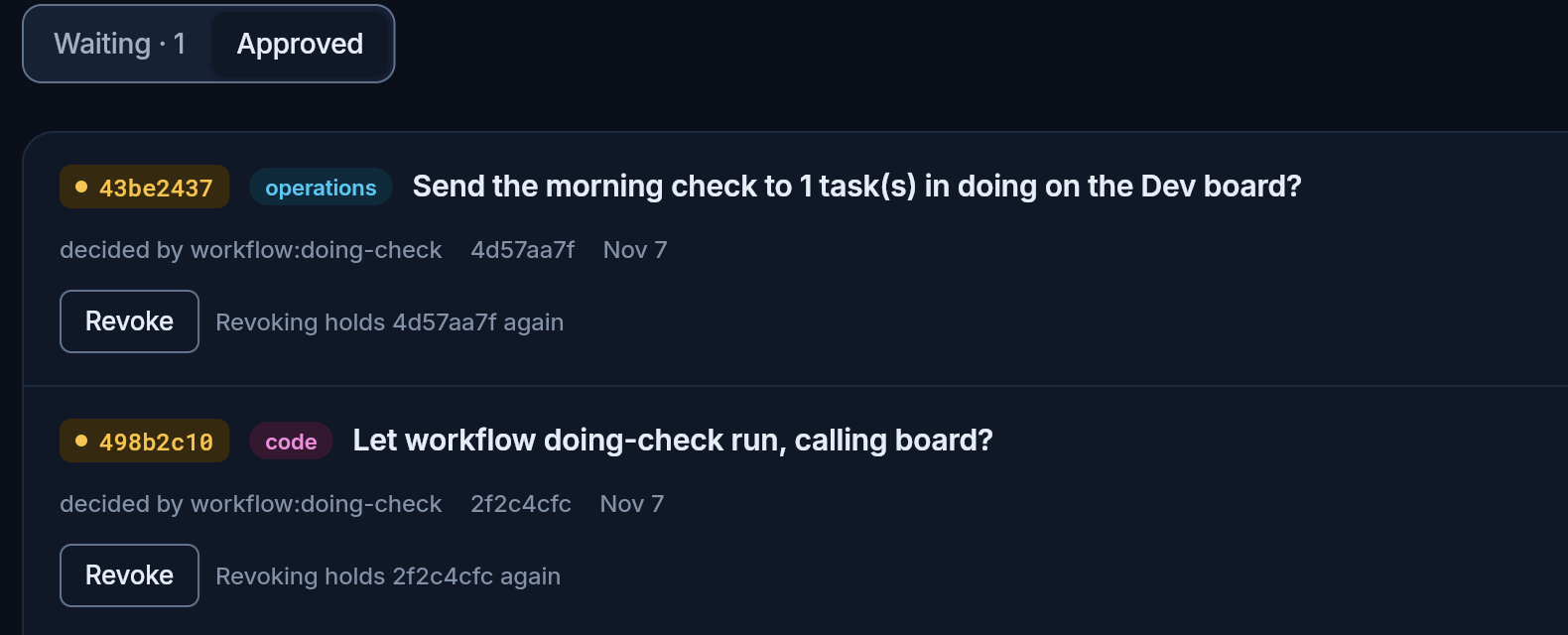
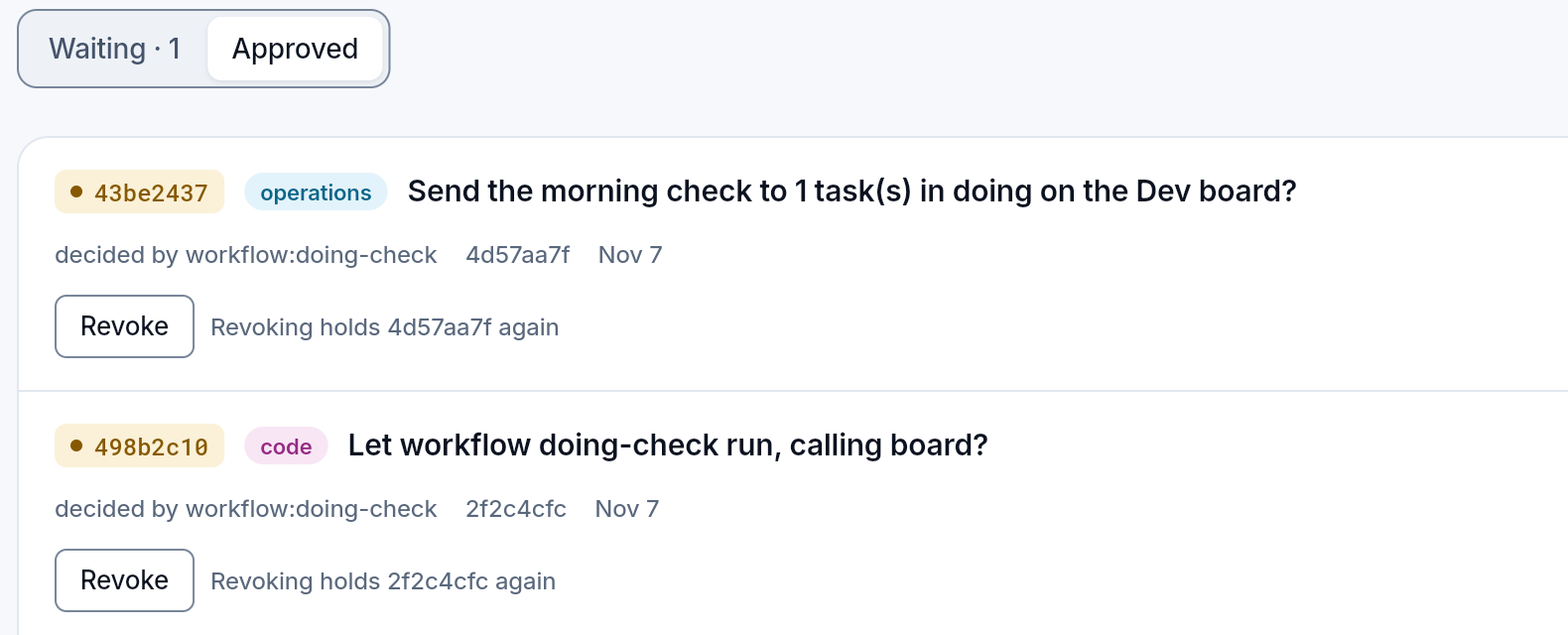
Section titled “3. A person approved its grants”The builder saved the workflow, but it cannot start by itself. A decision appeared on the board: doing-check asks to read the board and write comments. We approved it with a note:
Board read and comments on the Dev board only: fine.
4. The schedule
Section titled “4. The schedule”The builder scheduled it for every weekday at 9:00, Sofia time. The editor shows when it runs next; the Scheduler page shows it, pauses it, runs it at once or changes it.
5. The run
Section titled “5. The run”We ran it at once to see a whole run:
| Step | Time |
|---|---|
| start | 0 ms |
| List doing tasks | 712 ms |
| Any tasks in doing? | 0 ms: yes, one |
| Ask a person to approve | 137.4 s: it waited for a person |
| Comment on each task | 706 ms |
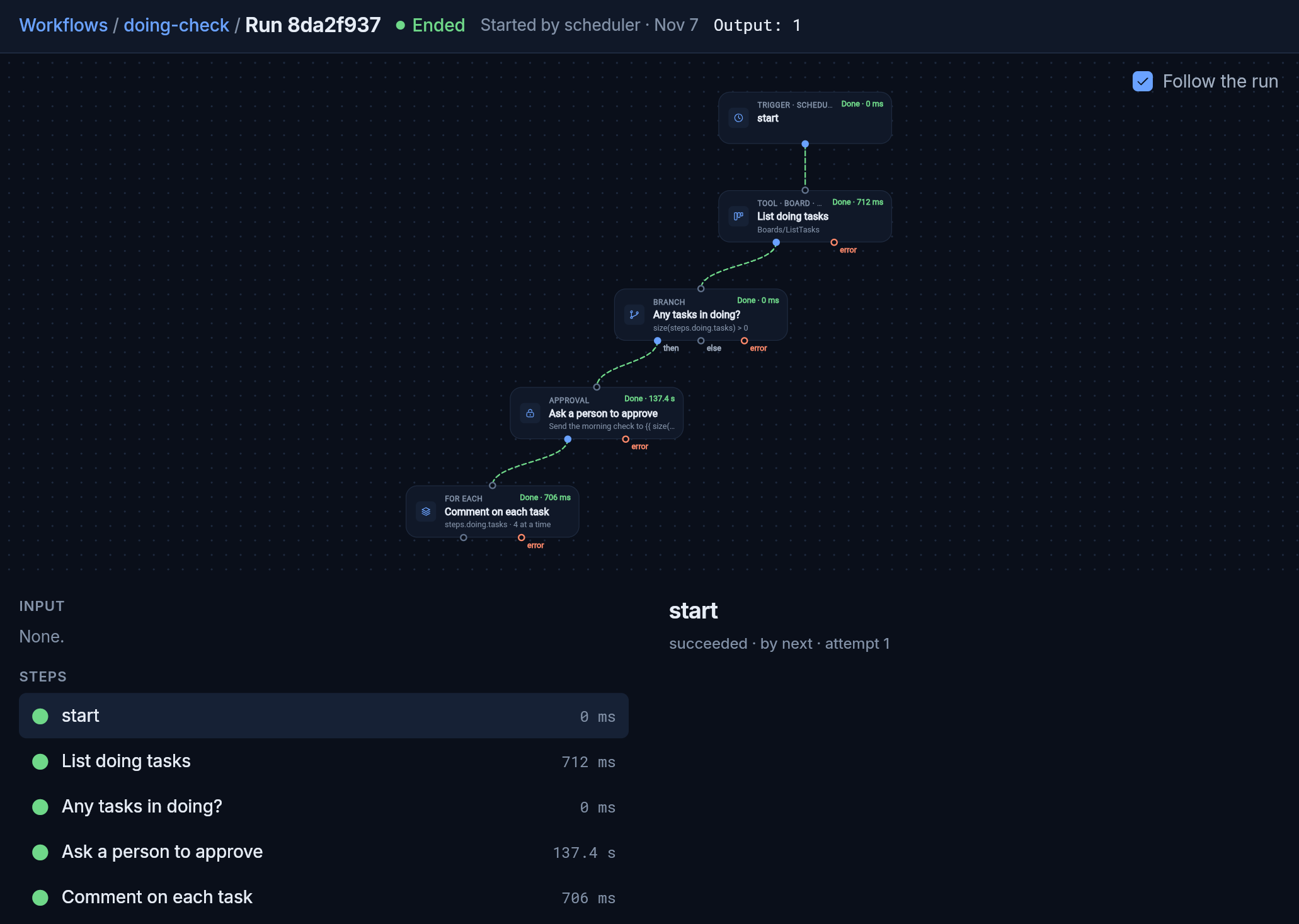
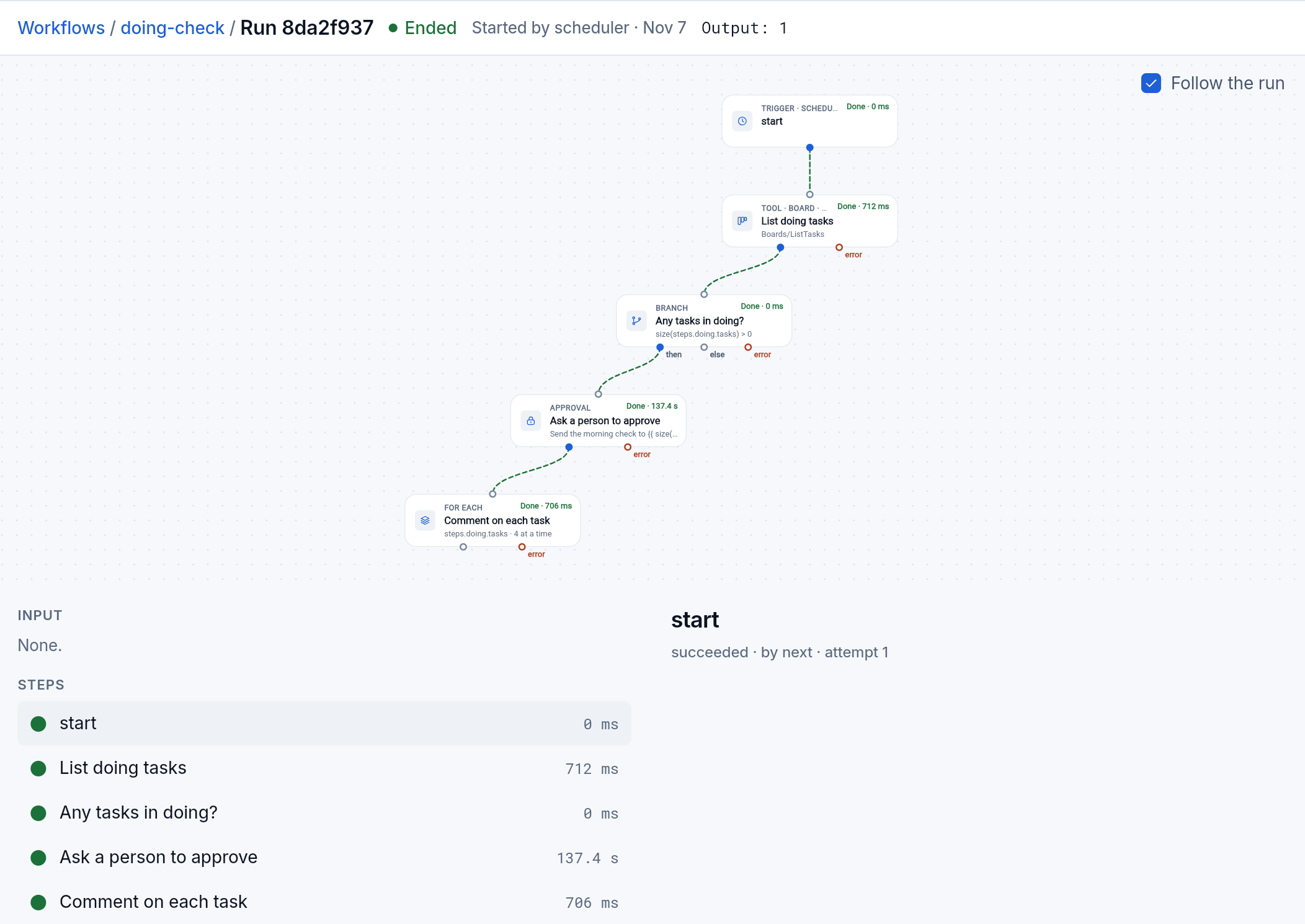
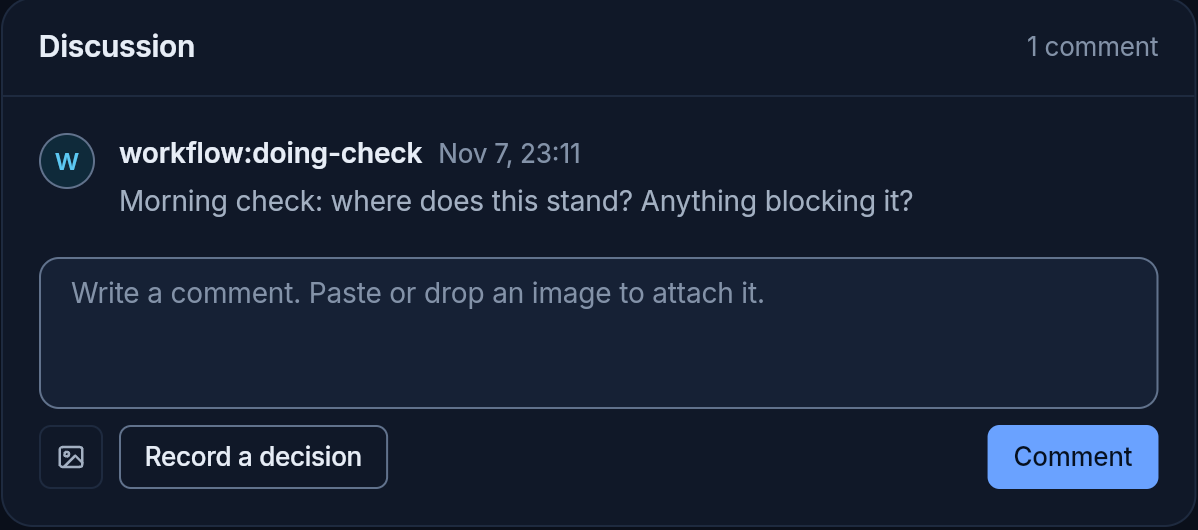
On the task in Doing, the comment appeared:
Morning check: where does this stand? Anything blocking it?
Its author is the workflow itself, not the person and not the agent, so the thread shows who wrote it.
The run cost no tokens. The model worked once, when the builder wrote the workflow; after that, each morning it only reads the board and writes the comments.
What it solves
Section titled “What it solves”- Routine stops costing tokens. The agent thinks once, when it writes it; then the graph runs by itself.
- You know beforehand what it will do. A dry run shows the path and the output and writes nothing.
- The grants are narrow and approved. A workflow has no key of its own; it has only the modules a person gave it, and it asks again if it wants more.
- The risky step waits for a person. An approval block stops the run until someone decides on the board; the decision stays there.
- Everything stays next to the work. The decisions are on the board, the comments in the tasks’ threads, every run with its steps in the app.
Limits
Section titled “Limits”- Approvals live on a board. Workflows need a board for their approvals; without one a workflow can be neither approved nor saved.
- A dry run does not call models unless you ask it to: they cost. Steps that ask a model or an agent are only simulated.
- A run has limits: how many steps, tokens and money it may use, and how long it may take (24 hours by default). A run that passes one stops and says which. The time counts the waits too: a run still waiting for a person when its time is up ends, and its question is taken off the board.
Further
Section titled “Further”- The app’s Workflows page: making one, its triggers and what a step can do.
- The workflow module: every kind of block and what it does.