
A daily report to the team, a note to a customer when an order ships, an alert when a check fails: the Mail module sends them with your own mail provider and your own sender address. You write a template once; agents and workflows fill it in and send it.
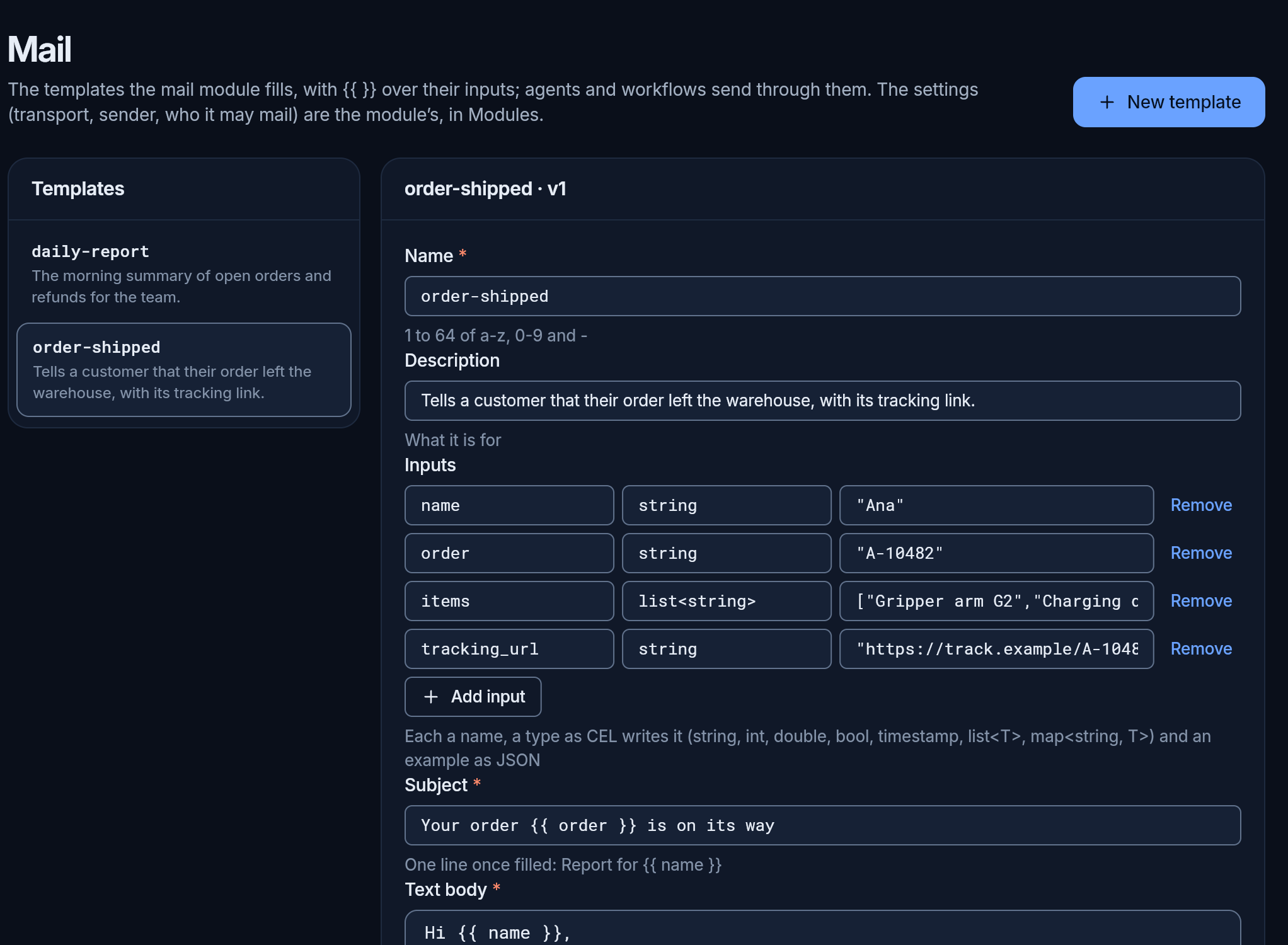
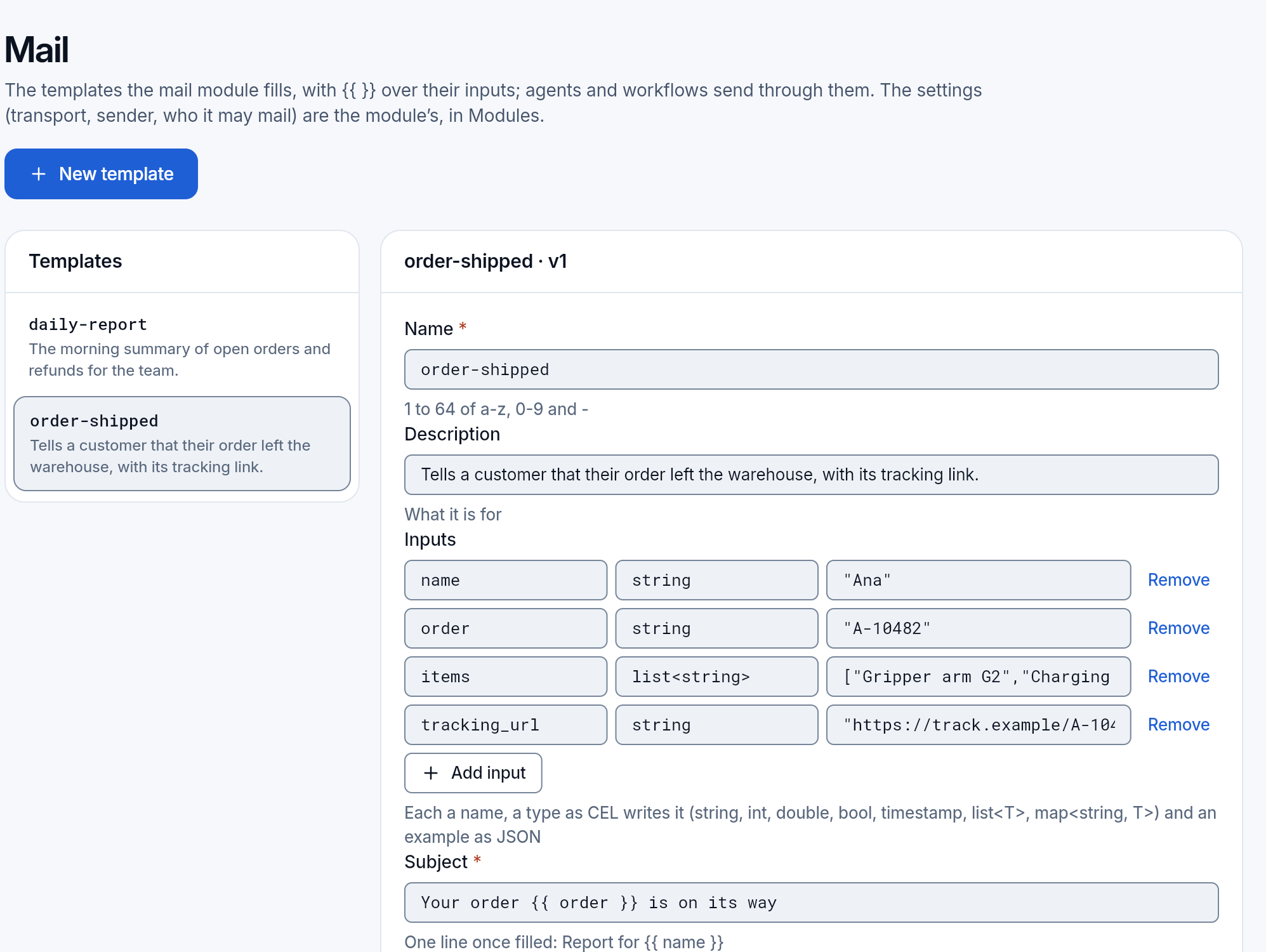
The page shows when the Mail module is on (All modules). It has the templates, a test send, and the log of what was sent.
Set it up
Section titled “Set it up”Mail’s settings are the module’s, in All modules, Mail:
- the sender: the address and the name mail comes from, and an optional reply-to;
- how it is sent: your SMTP server (host, port, user and password; Amazon SES through its SMTP interface works the same way), or an API key of Resend or Postmark;
- whom it may mail: addresses, or whole domains such as
@yourcompany.com. Empty means anyone, so narrow it before you give an agent mail; - how many a day: 200 by default (in the cloud, your plan sets the limit).
Passwords, keys and tokens are write-only: once saved, nobody sees them again; you only replace them. Mail always goes through your own provider, never through ours.
Send a test message sends a fixed message to an address you type, with the settings as they are now, so you know it works before an agent depends on it.
Templates
Section titled “Templates”A template is a mail with places to fill:
- a name and what it is for;
- its inputs: each a name, a type (text, a number, yes or no, a time, a list) and an example;
- a subject, a text body, and an optional HTML body, with places such as
{{ name }}where the inputs go.
Subject: Report for {{ name }}
Hi {{ name }},{{ open }} tasks are open on the board this morning.
Preview fills it with the examples, so you see the mail as it will arrive. Save checks every place against the inputs and says which part and which place is wrong. When a mail is sent, a missing input, or one of the wrong type, stops it with a message that names the input: a template never goes out with an empty place. A value put into the HTML body is escaped, so it cannot change the mail’s markup.
Who sends
Section titled “Who sends”- A workflow, with a step that sends a template: a report every weekday, from the Scheduler, or a note when something happens.
- An agent, with the mail tool. Sending changes something outside, so it waits for a person unless the team’s trust allows it.
At most 50 recipients a mail. A recipient the settings do not allow, or a mail past the day’s limit, is refused before anything is sent, and the refusal is in the log.
The log lists every send, newest first: when, who sent it (a person, an agent or a workflow), the template, the recipients, the subject and how it went: sent, refused or failed, with the provider’s answer. The bodies and the values are not kept: they may hold what only the recipient should read. The log keeps 90 days.
Not there yet: attachments, receiving mail, and bounces from the providers.
Every field of a send and a template, for your agents and scripts: the mail module.