
Modules and models
An organization runs the memory by default and any other module you turn on. Owners and admins manage them in All modules; every change is in the audit log.
All modules
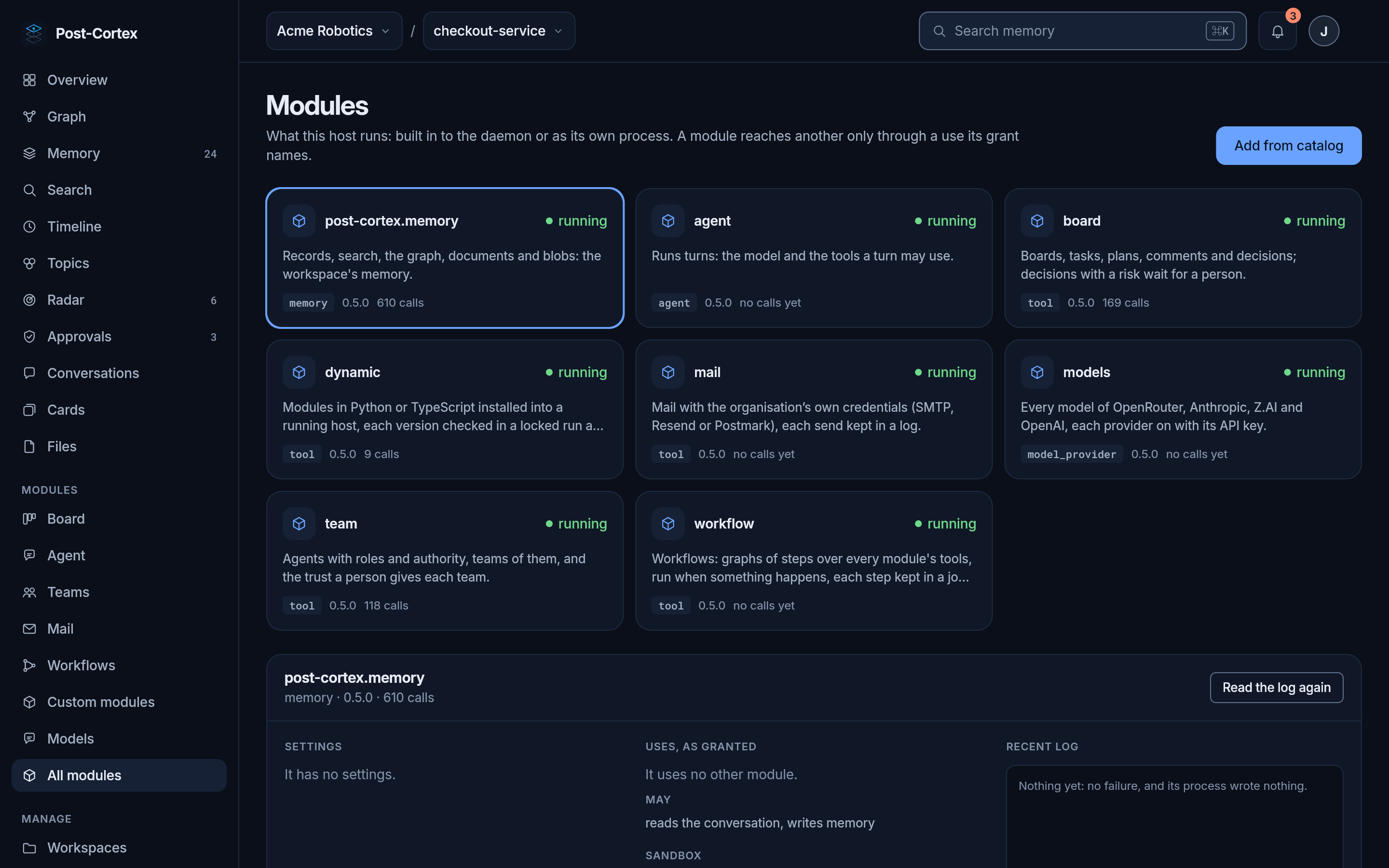
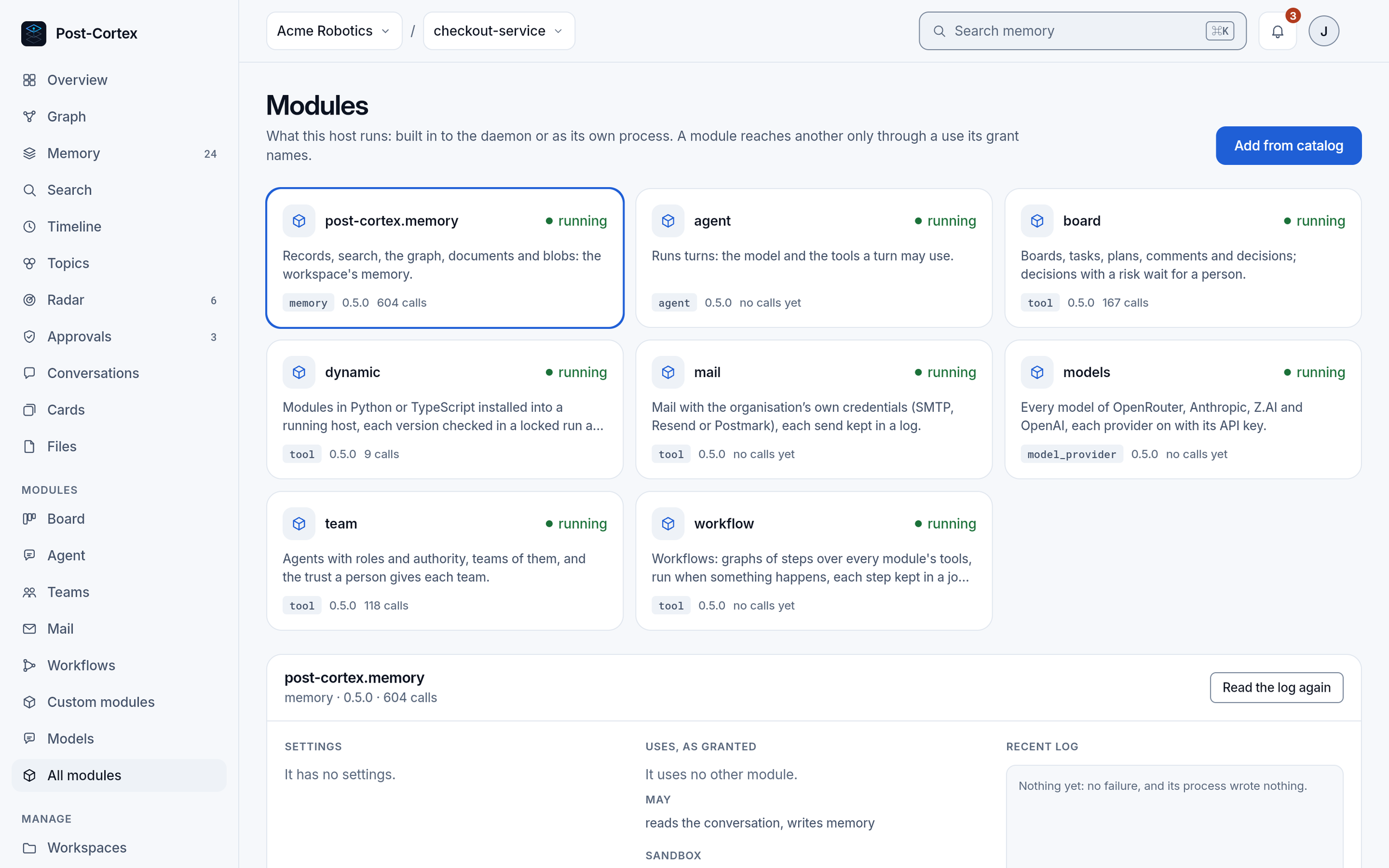
Section titled “All modules”Each module shows whether it is running, its version and how many calls it served. Select one to see its settings, the modules it may use, what it is granted (to write memory, to open network connections, to reach files or start processes) and its recent log.
Turning a module on
Section titled “Turning a module on”Add from catalog lists the modules your organization may run, each with what it is granted. Enable opens its settings, as a form; Edit as JSON shows the same settings as JSON. A setting marked with a star is required, such as the workspace a module keeps its documents in. Secrets (API keys, passwords, tokens) are write-only: once saved, nobody sees them again, you only replace them.
Enabling or disabling a module restarts the organization’s module runtime; what was running goes on after a few seconds.
Models
Section titled “Models”Agents of the host (the chief, a team’s members, a workflow’s agent and model steps) call models through one module, Models. Its settings have a section for each provider: OpenRouter, Anthropic, Z.AI and OpenAI. Enter a provider’s API key and every model it serves can be used; a provider without a key is off. The Models page lists them all, each with its provider, and every place where a model is chosen offers the same list. When two providers serve the same model, the first in the settings’ order answers. The agent’s turns use glm-5.3 unless its settings name another model; the chief and a team’s members use the agent’s model unless theirs name one. Every setting of the module: Models.
Settings, usage and your data
Section titled “Settings, usage and your data”A workspace’s settings, export and import: Workspaces and your data. What the organization used this period: Usage and billing.