
Custom modules
The catalog covers a lot, but not everything: an exact calculation, the format of your report, a rule of your business. Usually someone then writes a script somewhere, with access to everything, and nobody knows what it does. A custom module is that script made safe: a small program in Python or TypeScript that becomes a module like any other, locked down, and runs only once a person approved its code.
The page shows when the Custom modules module is on (All modules). It needs a board in its settings, because every install is approved there.
Who writes one
Section titled “Who writes one”- An agent: ask the
module-builderagent of a team for what you need, in words. It writes the module, its tests and its lock file, installs it, and tells you what it does and what it asks for. It never approves its own module. - A person: write the files yourself and install them, or change a file of an installed module on this page. How to write one: Python and TypeScript modules.
From files to a running module
Section titled “From files to a running module”- Prepared. Its packages are installed only from its lock file, each checked by its hash, without running any package’s install scripts.
- Checked, locked down. Its code runs before anyone approved it, so it runs with nothing: no network, no other modules, an empty scratch folder, a memory limit and 60 seconds in all. pcx reads what the module declares (its tools, what each one does, what it asks for) and runs its tests. A test that fails refuses the version, and the log says why.
- Approved. A new module, a new version or more grants is a
codedecision on the board, waiting in Approvals. It links here, to the code. Until a person approves it, that version does not run; the version approved before it goes on. - Loaded, without stopping what already runs.
- Running, as long as pcx runs. When it crashes it is started again.
What is approved is exactly that code: the files are pinned by their hash, and the module itself can read them but never change them.
The page
Section titled “The page”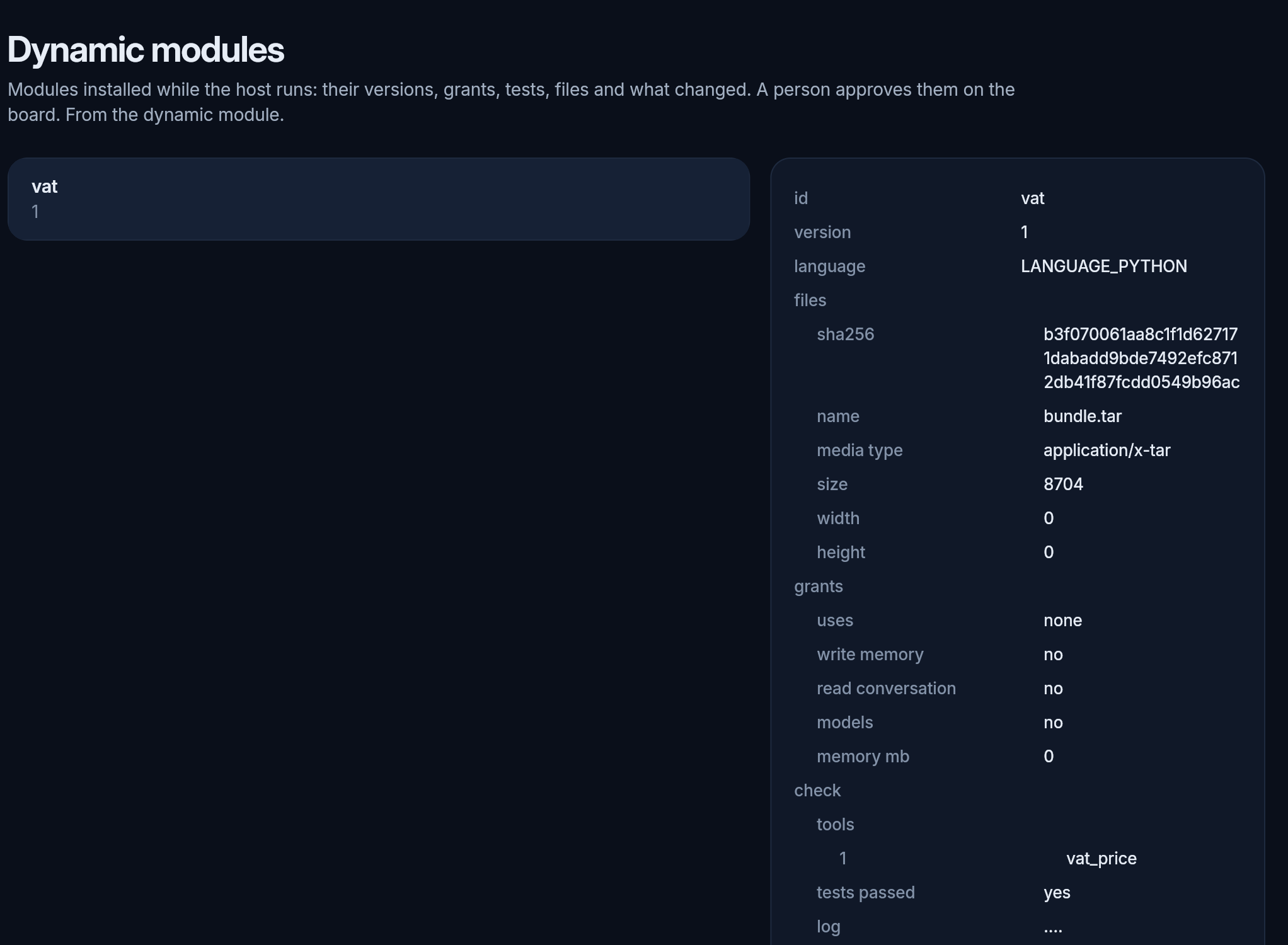
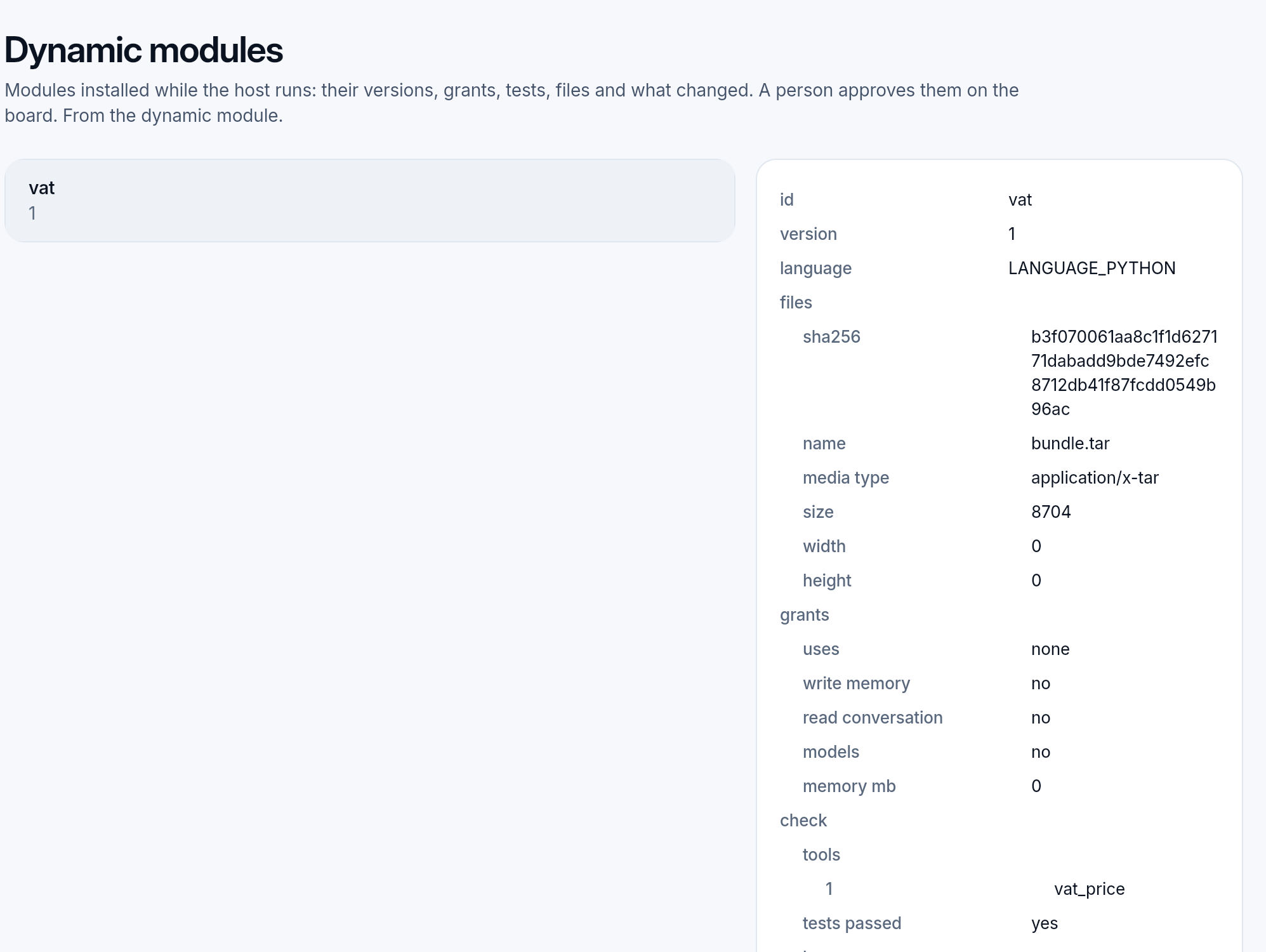
Each module, with:
- its version and language;
- its files, as one bundle with its hash, which is what you approve;
- the grants it asks for: the modules it calls, whether it writes memory, reads the conversation or calls a model, and its memory;
- its check: the tools it declares, whether its tests passed, their log, and whether it runs without the GIL;
- what was approved: the version, by whom, and the decision;
- the difference of its latest files from the approved version (“Nothing changed from the approved version” when there is none).
Edit changes one of its files, and Add a file adds one; each asks for the version number after the change. The change is a new version, with the same checks and the same approval as an install; meanwhile the approved version goes on. When someone else changed the module while you edited, the save is refused and you start from their version. A file is removed by installing the module again without it.
Removing a module stops it and takes its tools away; the page does not offer it yet, so ask the agent that installed it.
Example: VAT for the checkout
Section titled “Example: VAT for the checkout”A module vat, in Python: one tool, vat_price, that takes a net price in cents and a country and answers the standard rate, the tax and the gross price. Its files are the proto, the module, its rates, four tests and a lock file with protobuf. It calls no other module and asks for nothing more.
- Installed: the check ran its four tests in the locked run, and they passed. It found one tool, a read, and no GIL.
- Waiting: the decision went to the board, with the risk
code:
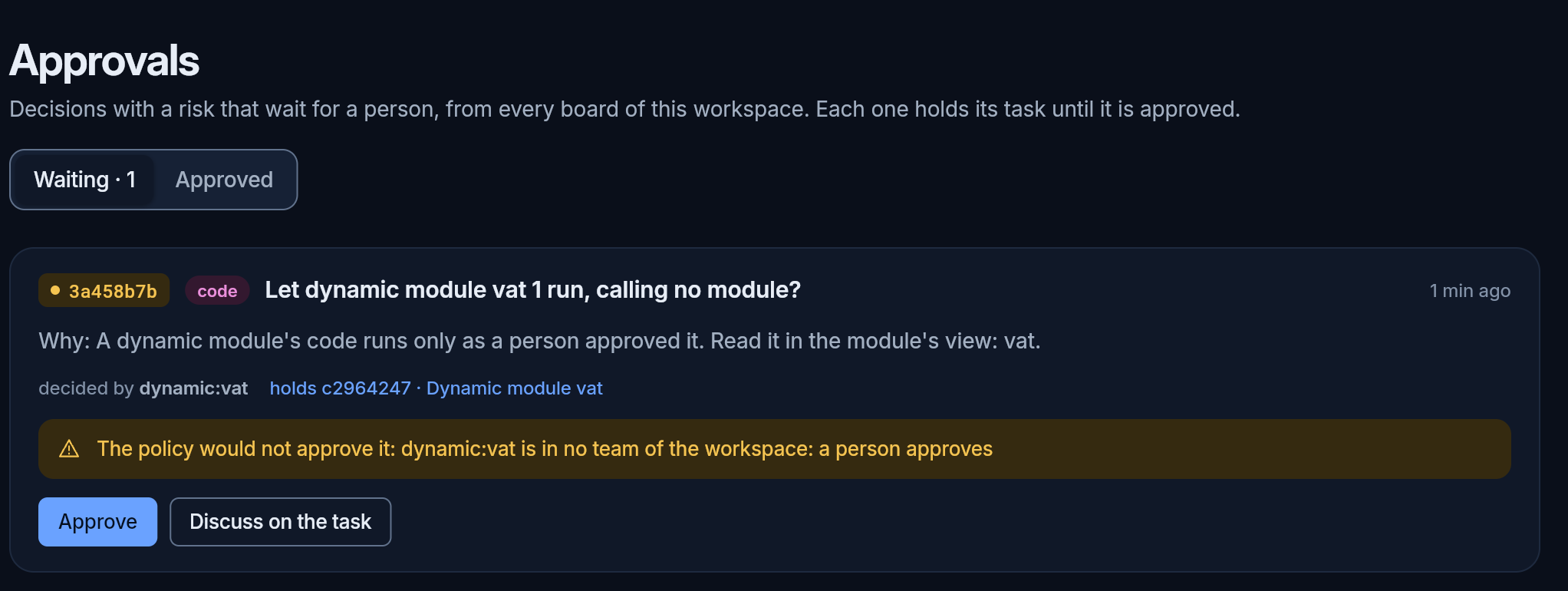
- Approved: a person approved it, and the module started at once.
- Called: 100.00 EUR net in Germany gave 19%, 19.00 EUR of tax, 119.00 EUR gross; a country it has no rate for answered “no VAT rate for the country ‘US’”.
- In a workflow: the workflow editor listed
vat_pricewith the other tools. A workflow with one step on it asked to callvat, a person approved that too, and its run for 249.90 EUR in France answered 299.88 EUR gross.
What a custom module cannot do
Section titled “What a custom module cannot do”- Reach the network. It has no address. It reaches outside only through the API module, with its connections, its rules and its log. So
requestsor a database client does not work in it; the builder says so. - Start processes, read the system’s files, or keep settings. Files only through the modules that serve them; its parameters in its own documents, and a credential in an API connection.
- Install modules, or give itself more than a person approved.
Its limits
Section titled “Its limits”| By default | |
|---|---|
| memory | 256 MB; a module asks for more in its grants (numpy and pandas alone take about 100 MB) |
| time per call | 10 s |
| open files | 256 |
| processes | none but its own |
| calls at once | 8 |
| modules per organization | Free 3, Pro 20, Team no limit (Plans and limits); a new version never counts again, and a smaller plan keeps what you have |
A module over its memory is stopped, and the failure names the limit.
Python or TypeScript
Section titled “Python or TypeScript”- TypeScript for logic, API calls and calculations written by hand.
- Python for numpy, pandas and the other scientific packages. It runs without the GIL, on several cores at once, unless one of its packages needs the GIL; then the page says so.
For your scripts: the settings and tools in the custom modules module.