
A tour of the app
The app is where you see what your agents know and what they do. It is free, it runs in the browser at app.pcx.is, on the desktop and on your phone, and it shows the same organization everywhere.
The layout
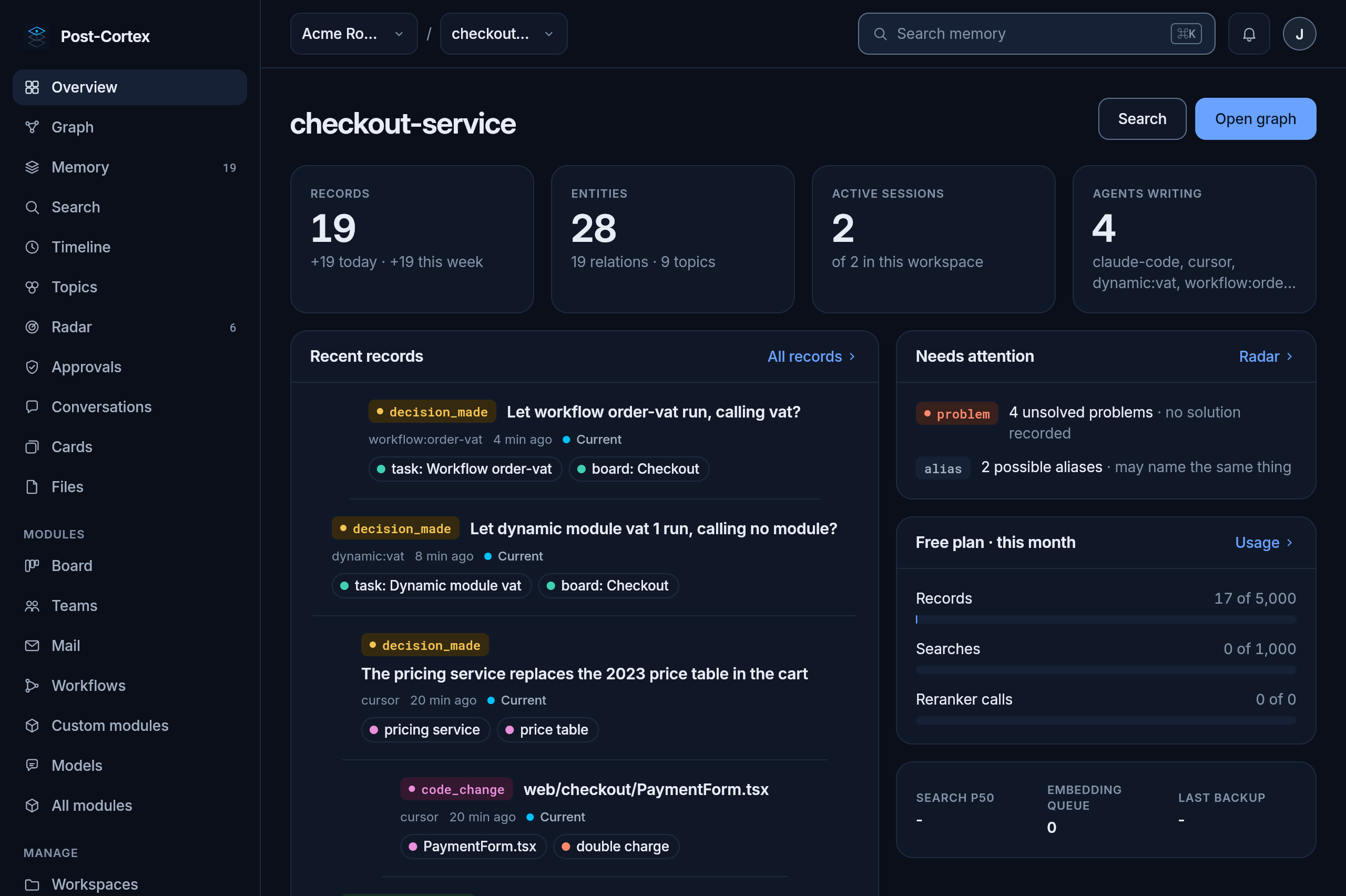
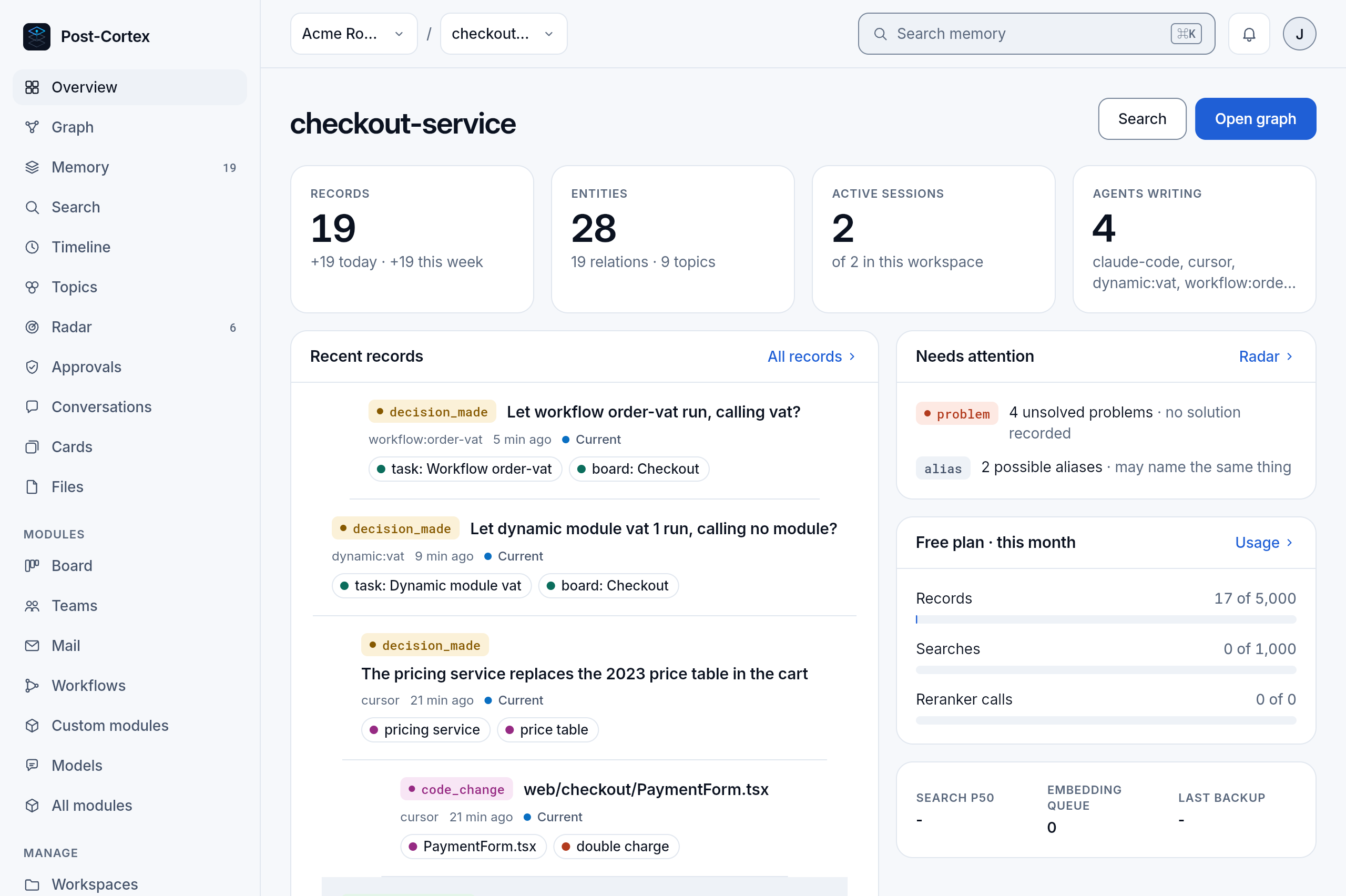
Section titled “The layout”At the top, from the left: the organization and the workspace you are in, each a menu to switch; the search box (⌘ K from anywhere); the bell with what waits for you, such as decisions to approve; and your account menu, with your Profile.
On the left, three groups:
| Group | Pages |
|---|---|
| The workspace | Overview, Graph, Memory, Search, Timeline, Topics, Radar, Conversations, Cards, Files: the memory, described in Memory in the app; and Approvals, what waits for you |
| Modules | a page for each module the organization runs: Board, Agent, Teams, Chief and Skills, Mail, API, Workflows, Scheduler, Custom modules, Models; and All modules, to turn them on and off |
| Manage | Workspaces, Team (people and roles), Connections (API keys and daemons), Usage and billing, Settings, Your data |
A module you have not turned on has no page; turn it on in All modules.
Organizations and spaces
Section titled “Organizations and spaces”The organization menu lists every organization you belong to, and every daemon connected to them, which shows as a space of its own: open it and the same pages show the daemon’s memory, read through the connection. A daemon that is off says so and when it was last seen. New organization starts a new one.
Desktop and mobile
Section titled “Desktop and mobile”The desktop app is the full client, for macOS, from Download the desktop app in the account menu. It signs in to the same account and shows the same organizations.
The mobile app keeps you close to the memory on the go: search, read records and cards, and approve what waits for you. It signs in to the cloud, or to your own daemon when the daemon is connected to your organization.