
Approvals
Some decisions should not be an agent’s alone: changing code, spending money, deleting data, touching a running system. In pcx such a decision holds its task until a person approves it. Approvals is the one place where everything that waits for you is, from every board of the workspace.
What waits here
Section titled “What waits here”A decision on a board records what was decided, why, who decided and its risk:
| Risk | For |
|---|---|
code |
a change to code, or to what a workflow or a module may do |
money |
spending |
data |
changing or deleting data |
operations |
a change to a running system |
none |
everything else; it never waits |
A decision with a risk holds its task: the task cannot be moved or closed until the decision is approved. Comments and edits go on, so it can be discussed. The decisions come from:
- agents and people working on a task, when what they decided carries a risk;
- a workflow that asks for its grants: a new workflow, or a change that asks to call more modules, waits as a
codedecision before any run starts (Workflows); - a step of a workflow’s run: an approval block stops the run until a person decides, with the question filled in by the run;
- a custom module: installing one, a new version of it, or giving it more grants is a
codedecision, which links to the code, the difference from the approved version, the grants it asks for and the result of its tests. Nobody is asked to approve code they cannot see.
Waiting
Section titled “Waiting”The bell at the top of the app shows how many decisions wait for you; Approvals in the left navigation lists them, newest first.
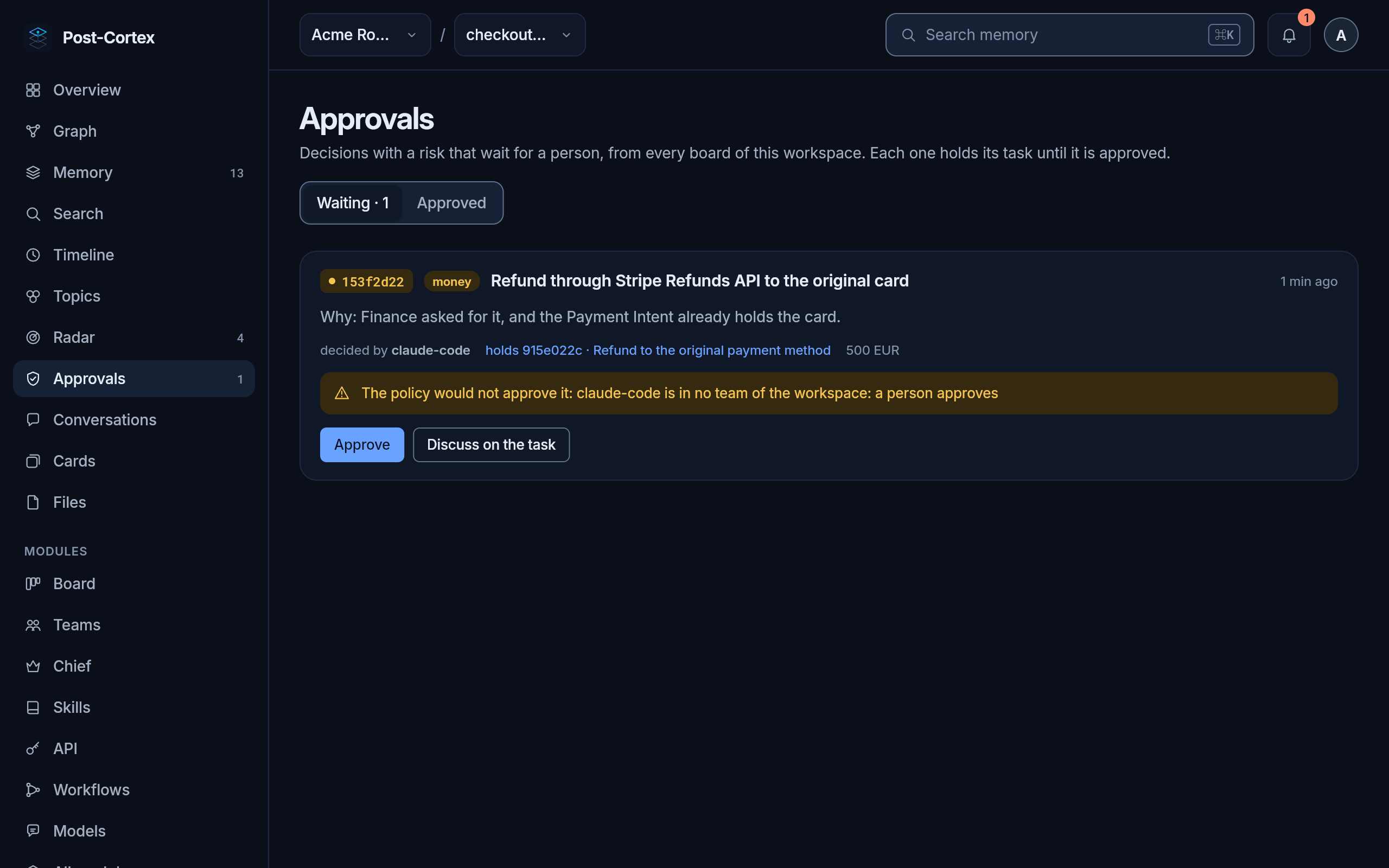
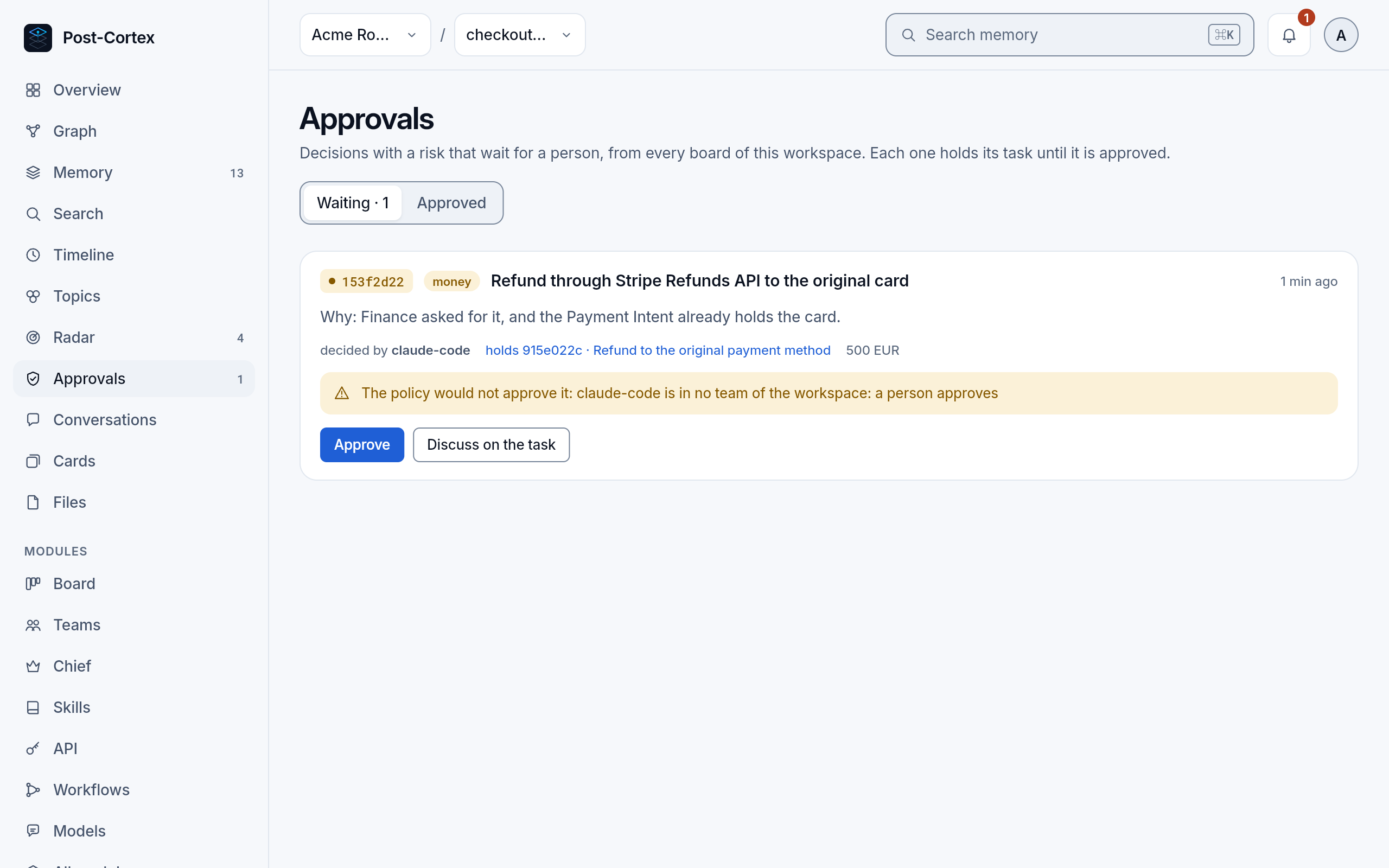
Each one shows:
- what was decided and its risk;
- who decided it and the task it holds, which opens on a click;
- what is at stake, such as an amount;
- why it waits for you: the team’s trust is paused or supervised, the class is not one it approves, the amount is over its limit, the branch is protected, the data cannot be restored, or the one who decided is in no team.
- Read the decision. To ask or answer first, Discuss on the task opens its thread.
- Approve it, with a note for the record if you like. The note stays with the decision, and the approval is written to memory.
- The task moves on. A workflow’s run that waited goes on from that step.
Approved
Section titled “Approved”The Approved tab lists what a person or the team’s trust approved, with who approved it and when.
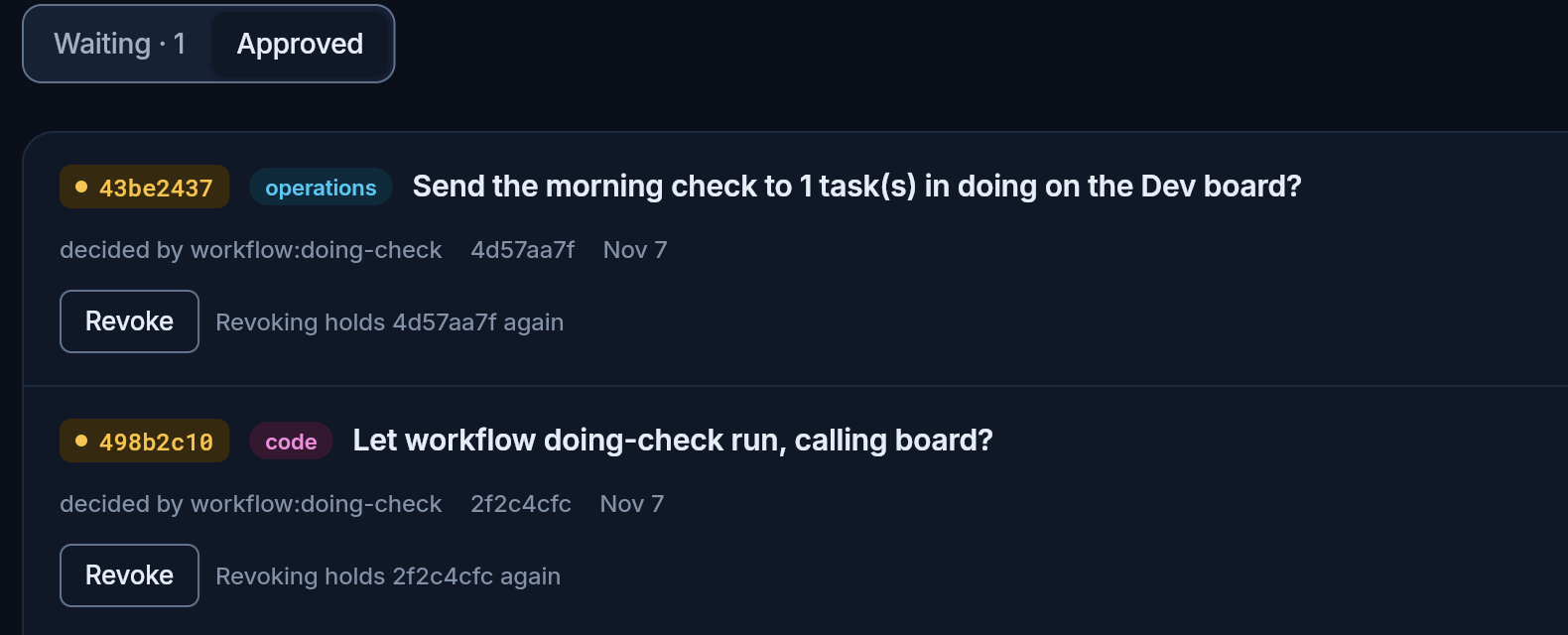
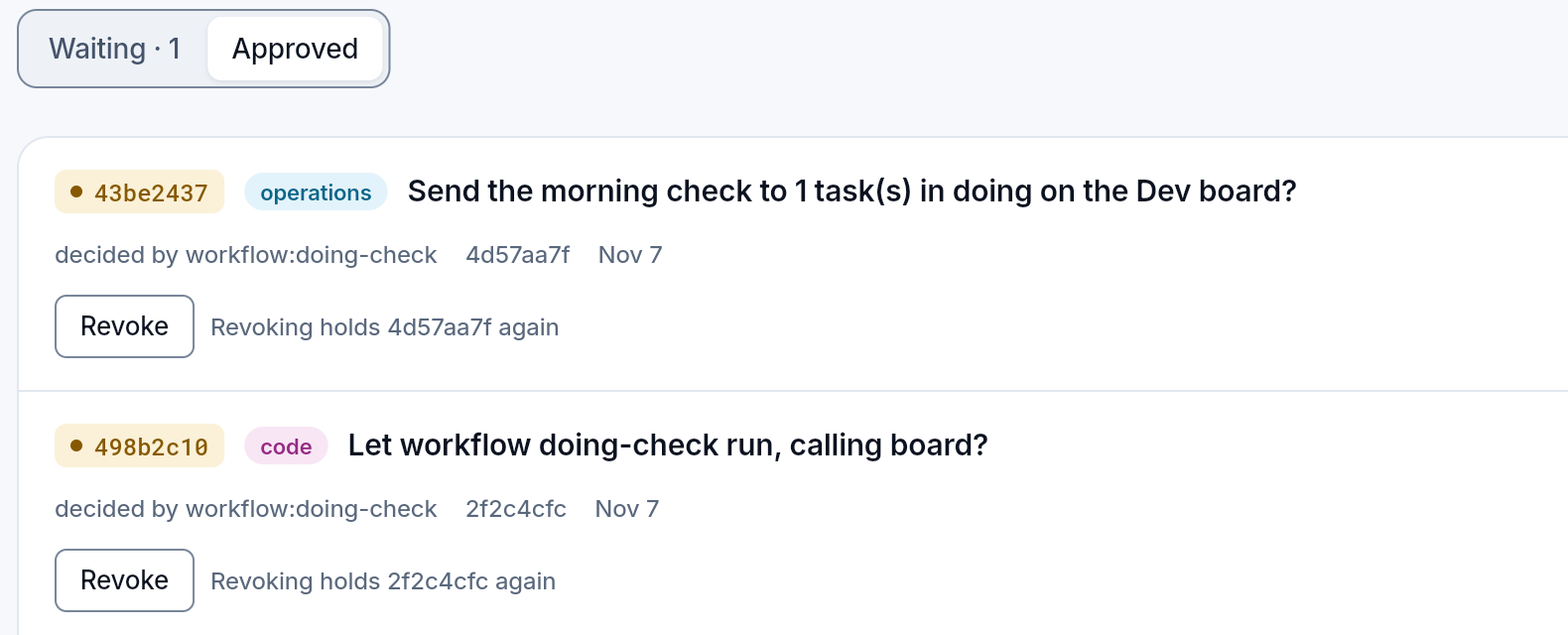
Revoke takes an approval back: the task is held again until a person approves it. Revoking a workflow’s grants stops it from starting until they are approved again.
When it stops waiting by itself
Section titled “When it stops waiting by itself”- The team’s trust approves it. A team can approve decisions in the classes a person allowed, within their limits; each such approval says so in its history and can be revoked. Levels and limits: Trust.
- Its author withdraws it. A workflow’s run that ends before anyone answered (canceled, or out of time) takes its question back. The decision stays in the task’s thread as withdrawn, holds the task no more and cannot be approved.
Who approves
Section titled “Who approves”Only a person: an agent can record a decision, but there is no way for it to approve one, its own or another’s, and a workflow asks in its own name, which decides nothing. What a team may approve by itself is set by a person, in its trust.
Every decision, its approval and its note are kept on the board and in memory, so the next agent knows why things are the way they are.